Put field calls and shop appointments on one operating plan.
Match work with technician skills, geography, availability, customer commitments, and parts readiness.
Coordinate mobile assignments and scheduled shop visits.
Keep arrival windows, access details, and service updates attached to the work.
See capacity before making the next commitment.
Fictional example workspace · Select to enlarge
CONNECTED WORK ORDERS
Carry the job story from request to closeout.
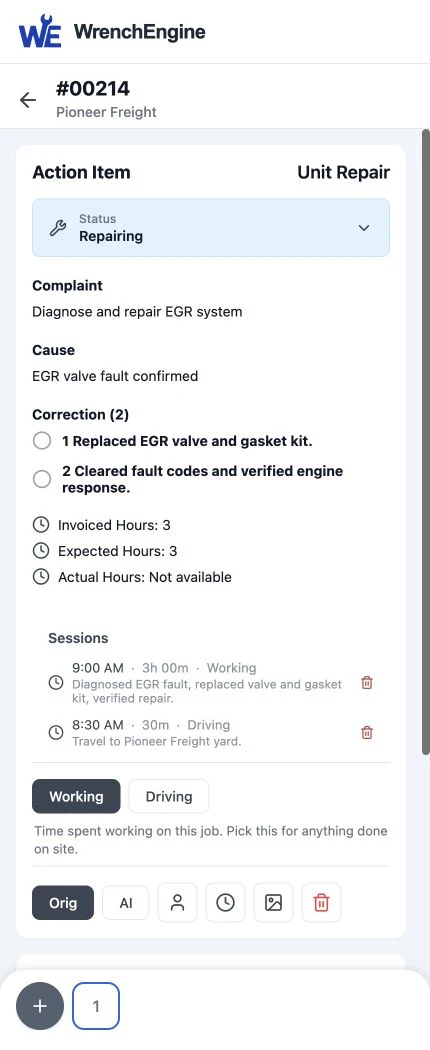
Give technicians the context to start and a practical place to record what happened.
Customer, asset, complaint, history, and approvals in one record.
Time, labor, parts, fluids, photos, notes, and supporting documents.
Mobile-friendly work in the field and the shop.
Fictional example workspace · Select to enlarge
BILLING & PAYMENTS
Prepare a financial record reviewers can follow.
Build invoices from connected service details, then keep review, delivery, and payment distinct.
Completeness checks before financial review.
Customer approvals, estimates, invoice delivery, and payment links in context.
Human approval remains the gate before sending.
Fictional example workspace · Select to enlarge
PARTS & INVENTORY
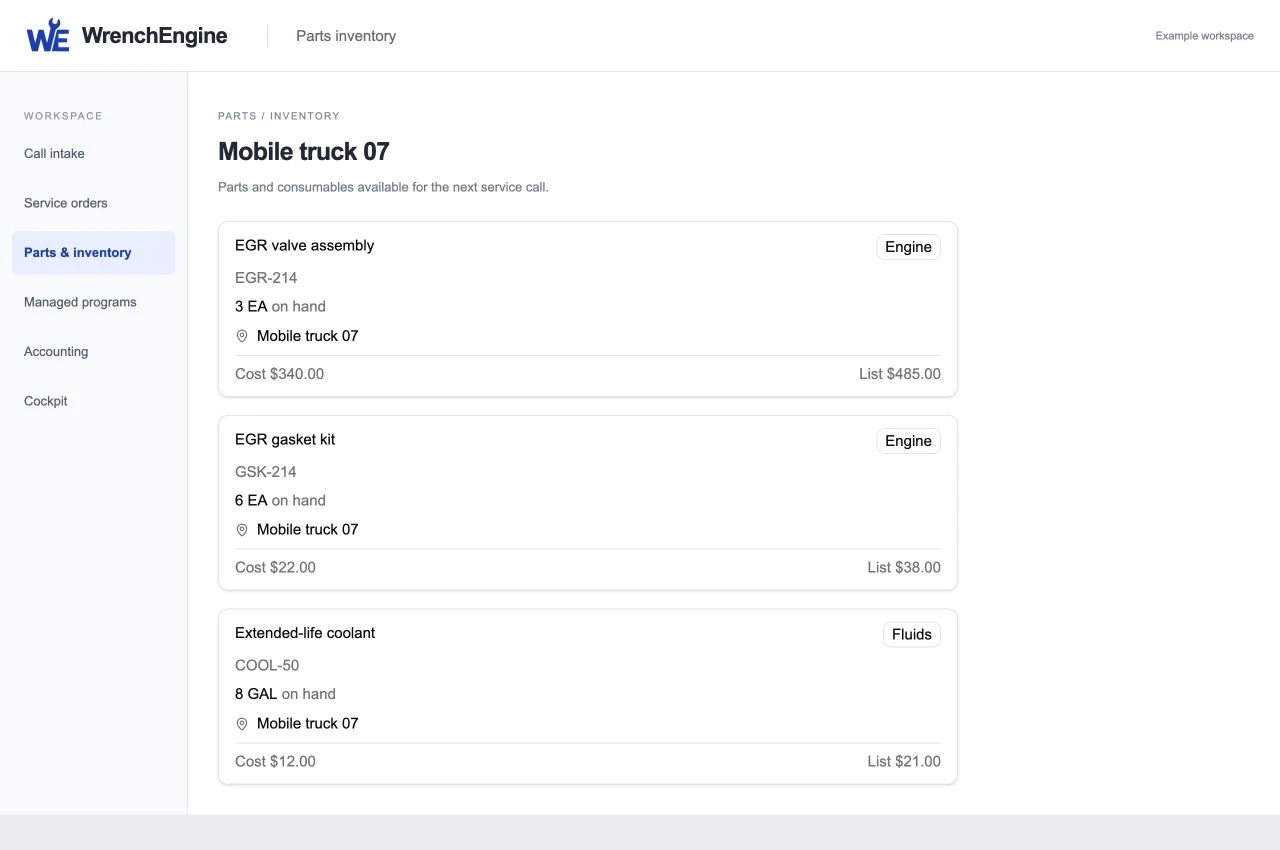
Know what is available, used, ordered, or owed back.
Coordinate truck and location stock with purchasing, cores, returns, and service demand.
Truck and location availability.
Vendor orders linked to the work they support.
Visible ownership for core returns and credits.
Fictional example workspace · Select to enlarge
CUSTOMER EXPERIENCE
Keep the fleet informed without fragmenting the record.
Estimates and customer approvals
Service progress and changing expectations
Invoice delivery and payment links
One asset history across mobile, shop, and maintenance work
INTEGRATIONS
Connect operational context and accounting continuity.
Use Samsara connections for relevant fleet and asset context, and QuickBooks connections to support accounting continuity.
WrenchEngine keeps operational work visible while connected systems continue serving their established roles. Integration availability and rollout are addressed in a tailored proposal.
OPTIONAL UPGRADES
Copilots extend the platform. Your team keeps control.
The core platform stands on its own. AI products are optional upgrades; we’ll confirm the right configuration in your proposal.
Optional upgrade
Dispatcher support
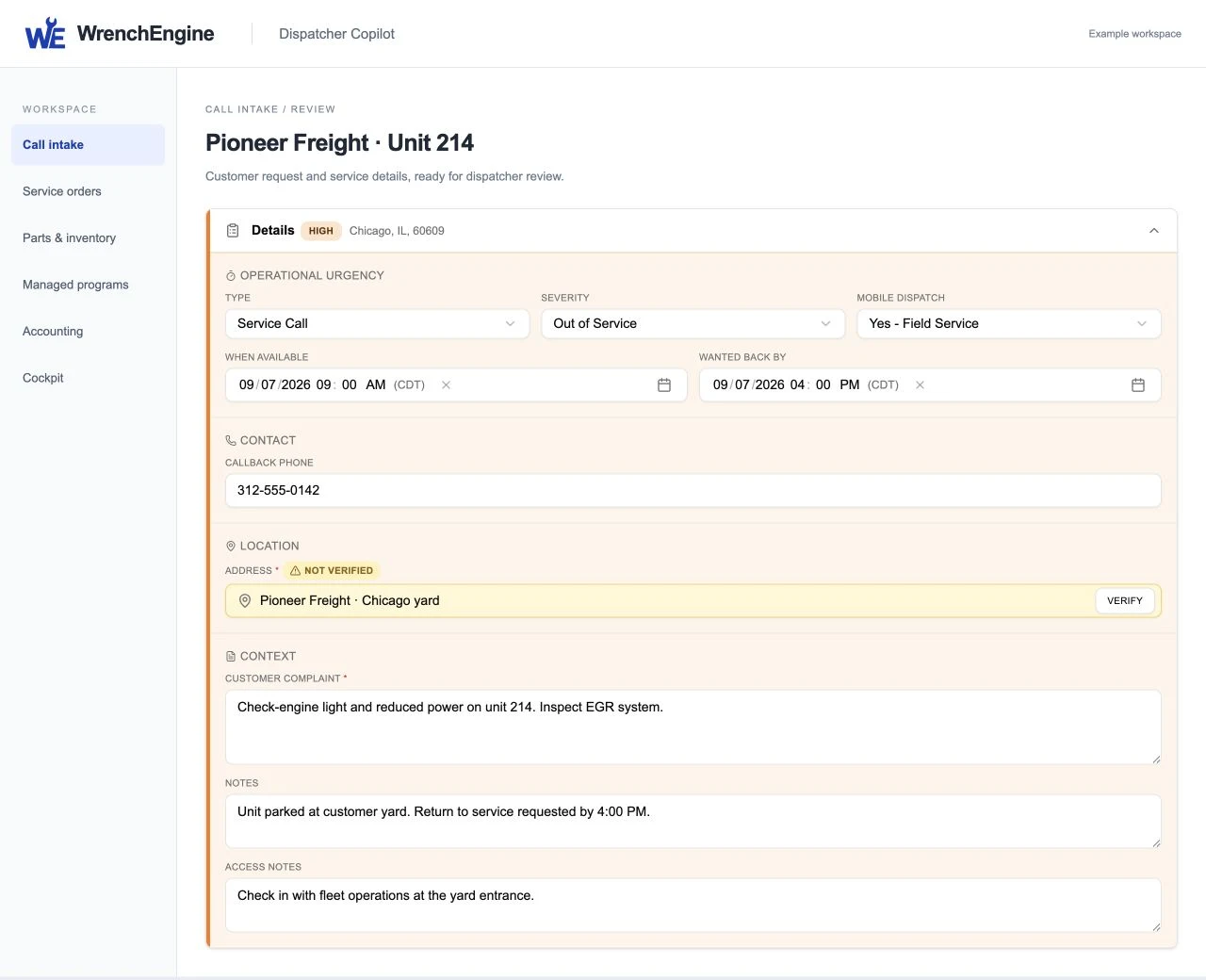
Dispatcher Copilot shadows the live call, captures what the caller says, and builds a service-order draft for the dispatcher to review. The dispatcher supplies any missing details and decides what to approve.
AI Dispatcher handles after-hours call intake so the next team can review the request and coordinate the response.
AI service-order completeness review checks for gaps before a person reviews and approves the invoice. Invoice creation never authorizes sending or payment collection.
These capabilities are not included in the initial release. Timing and availability will be confirmed.
Coming soon
Technician day planning
Help technicians prepare their day around assigned jobs and customer commitments.
Coming soon
Pre-departure stock checks
Have TC check truck inventory against the work ahead, so missing material can be addressed before departure.
Coming soon
End-of-day replenishment
Help the technician identify what needs replenishing after the day’s recorded parts usage.
Coming soon
Supplier ordering through TC
Extend TC support to supplier calls, price and availability checks, and order placement. Your team handles supplier contact and orders in the initial release.
Coming soon
Receipt matching
Compare receipts with the parts record to surface differences for a person to review.
Coming soon
Dispatcher coaching
Add in-call prompts for access instructions, contact details, and timing, beyond capturing what the caller says.
Coming soon
Bay and lift scheduling
Bring bay and lift availability into shop scheduling, alongside appointments and technician assignments.
Coming soon
Adaptive maintenance
Develop predictive maintenance guidance from asset and service context, building on calendar, mileage, and engine-hour triggers.
These plans do not change the initial-release workflows described above or the requirement for human invoice approval. Discuss future needs alongside your current operation in a personalized demo.
COCKPIT / OPTIONAL UPGRADE
Follow the numbers to the work behind them.
Explore regional KPIs, graphs, contributing records, and a follow-up example in Cockpit.