Enroll the asset.
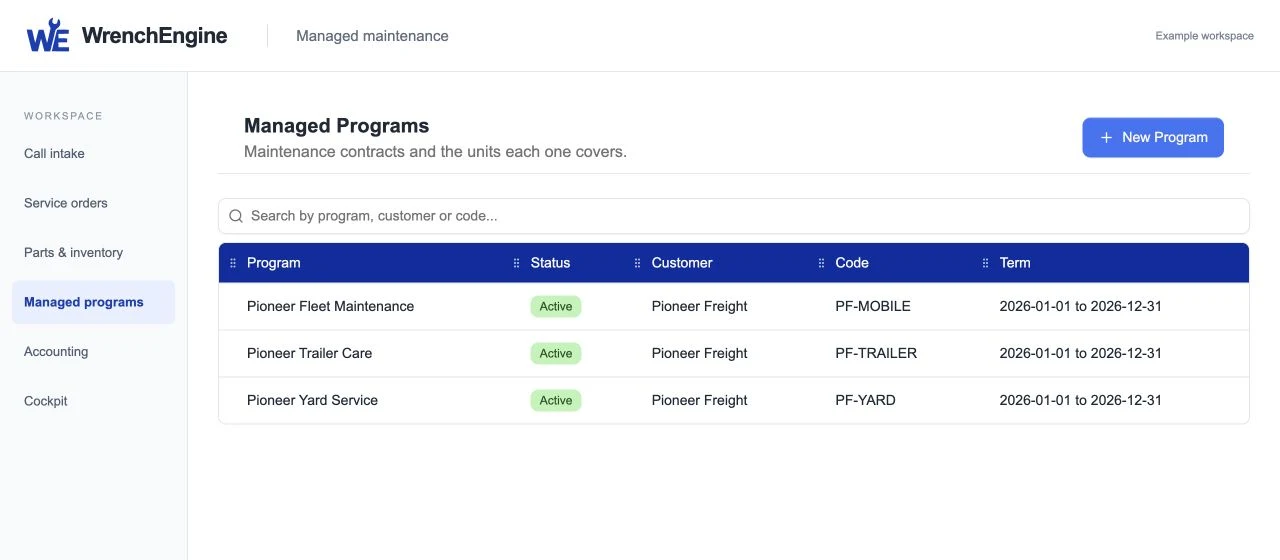
Keep covered units, program terms, customer preferences, and relevant service history together.
 WrenchEngine
MANAGED MAINTENANCE
Give fleet customers a more predictable service rhythm across mobile operations and the shop.
Request a personalized demoCalendar, mileage, and engine-hour triggers bring upcoming service into view. Your team chooses the service window, confirms parts, and routes the work to mobile service or the shop.
Keep covered units, program terms, customer preferences, and relevant service history together.
Use calendar, mileage, and engine-hour information to bring upcoming work into view.
Choose mobile or shop service, schedule capacity, stage likely parts, and notify the customer.
Complete the work, report program activity, support per-asset subscription billing, and prepare the next cycle.
PROGRAM REPORTING
Review program work by customer and asset, with service routing and billing context attached.
WrenchEngine makes the operating status visible without claiming an outcome the program has not yet produced.
Coming soon for maintenanceSEE YOUR OPERATION IN WRENCHENGINE
We’ll shape the demonstration around your service model, teams, customers, and priorities.
Request a personalized demo